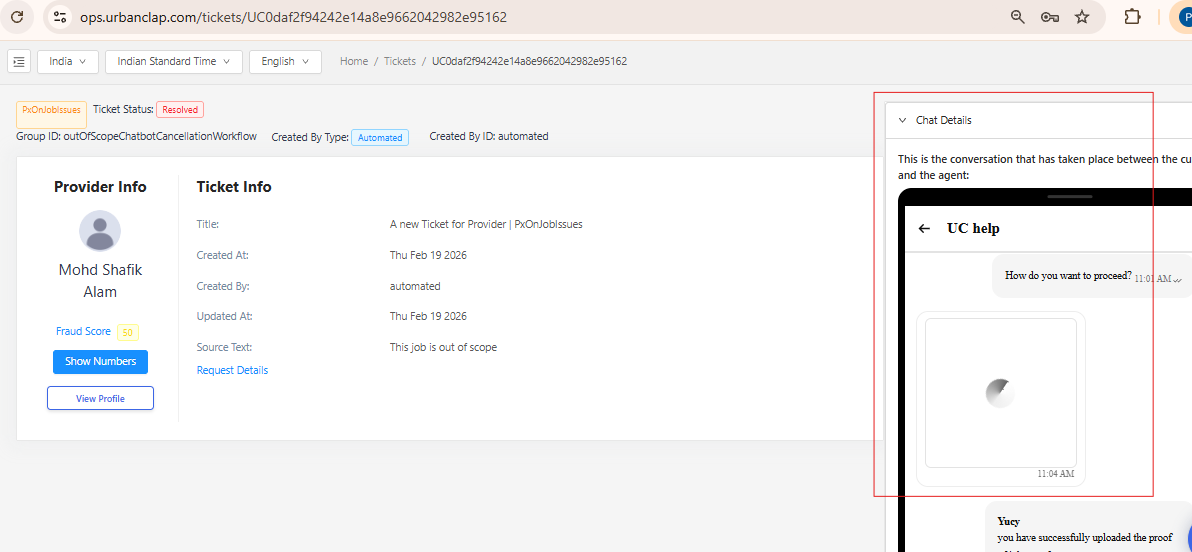
How to find Video Proof Uploaded by Partner for Out of scope Booking. ?
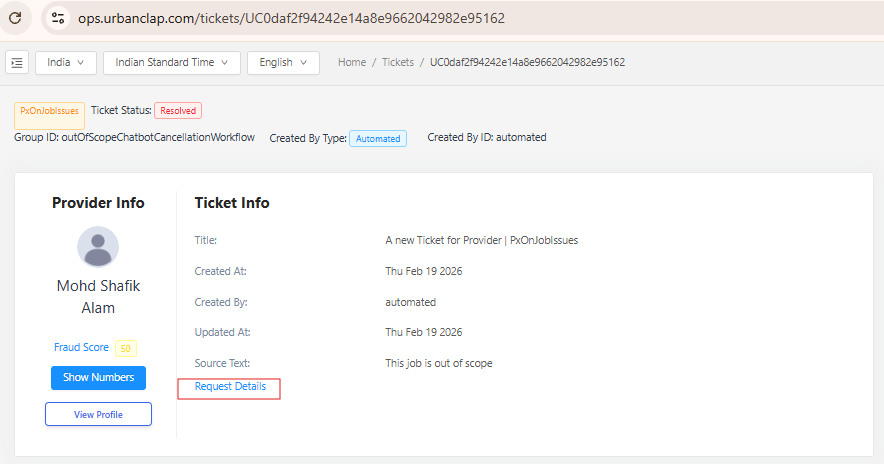
Step 1 : On the Ticket Page , click on Request Details (as shown in below image)to land on Request ID of the Job on which PAF has been marked to the Partner.
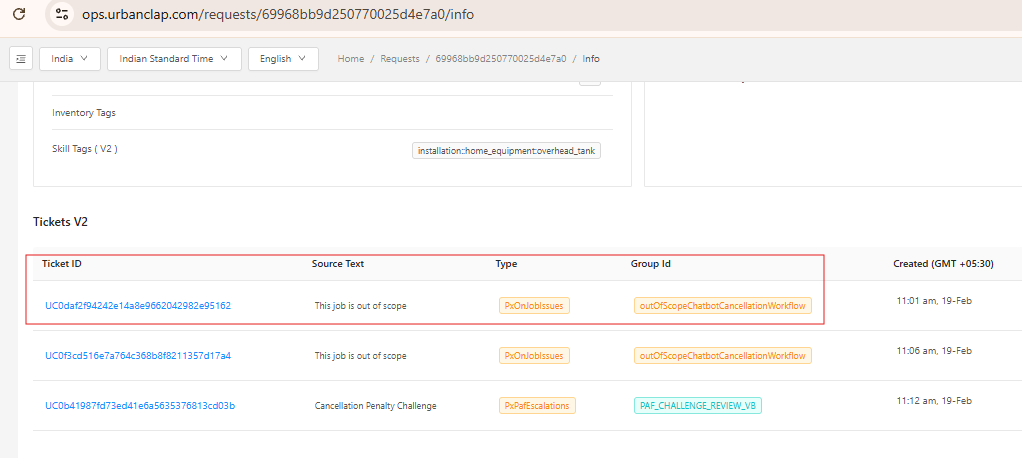
Step 2: On the Request Page click on the Ticket ID with group ID: outOfScopeChatbotCancellationWorkflow to open the ticket ID where the proof exists . (as shown in below image)
Step 3: On the right hand side on the ticket id page ,click on chat details to find the video uploaded by the Partner in the chat section ,kindly click on the video thumbnail and play the video. (as shown in below image)